How to apply for a aircraft maintenance engineer license?
- Kindly access http://www.gcaa.gov.ae/en and select the "login" option to open the login window.
- Enter Username and Password and login otherwise Click “Create Now” link to create an account.
- To apply for a service, click on the "Services" tab. From there, you can either select the service you wish to apply for or type it in the search bar.
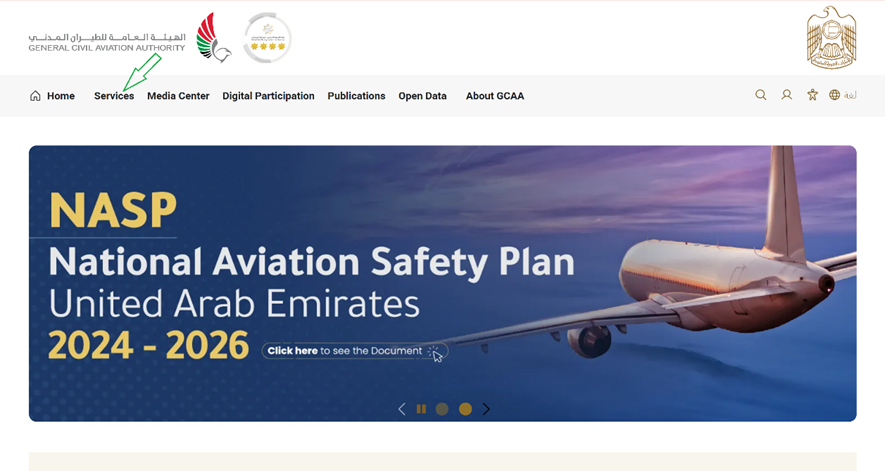
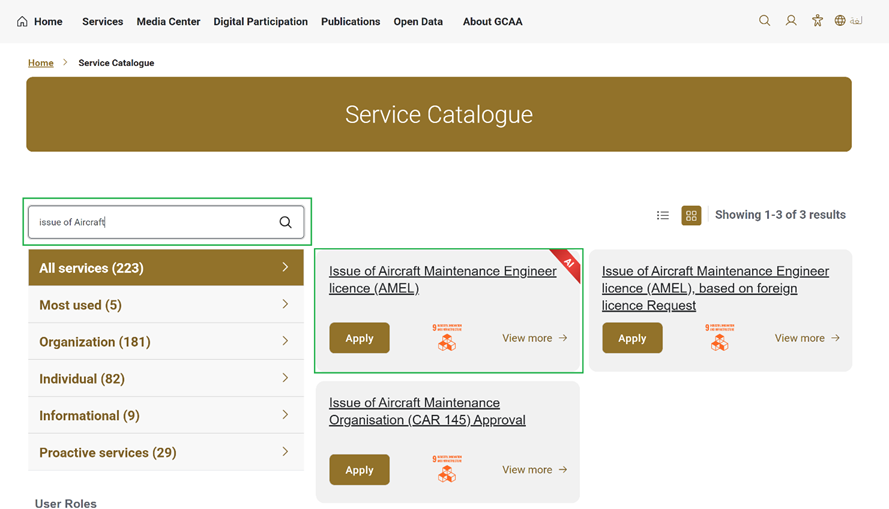
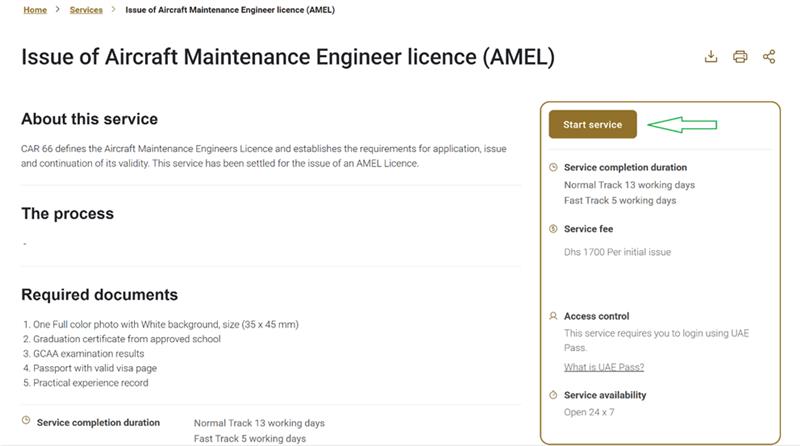
-
Click on apply to proceed to next page.
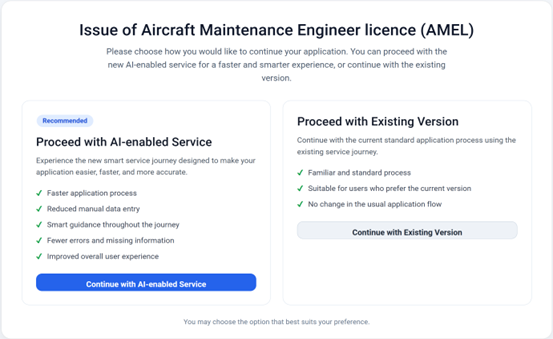
- When user selects Proceed with AI-Enabled Service:
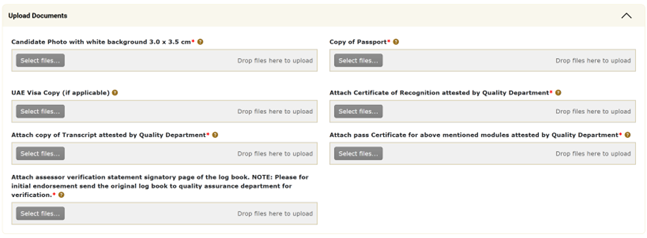
You will be directed to below screen, please upload your photo and passport
-
You can Initiate new application with AI Analysis or without AI Analysis.
Once you upload any documents its AI analysis will be start immediately and you don’t need to wait for its completion. Meanwhile you can attach other documents as well.
You can also proceed without AI Analysis in case if you don’t want to proceed with AI.
-
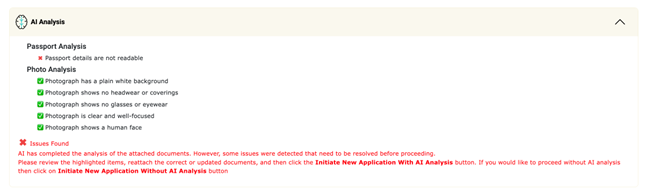
If any document fails validation, the specific error will be displayed. You must re-upload the correct document. Sample validation error screenshots are shown below.
-
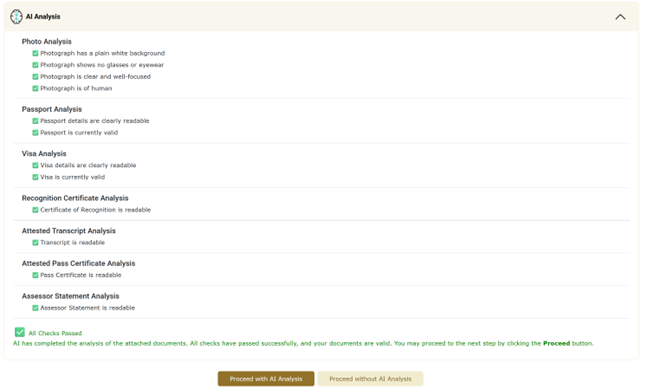
Once all validation checks are successful, you can proceed to the next screen, where the AI system will extract your information from the uploaded documents and automatically pre-fill the application form.
-
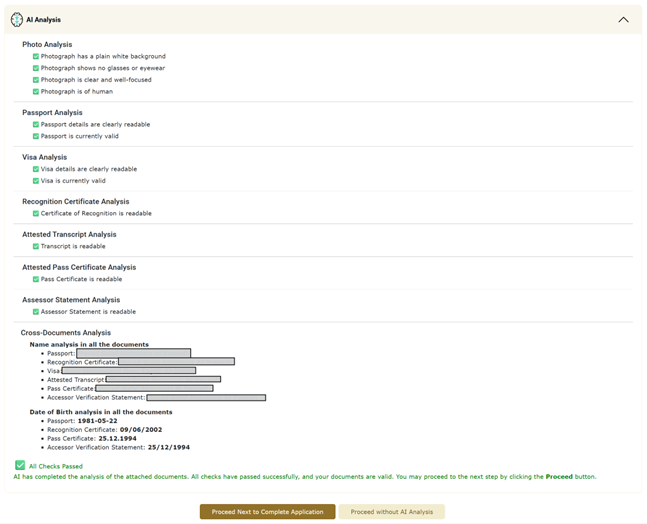
Once all validation checks are successful, you can proceed to the next screen by clicking on “Proceed Next to Complete Application” button, where the AI system will extract your information from the uploaded documents and automatically pre-fill the application form.
-
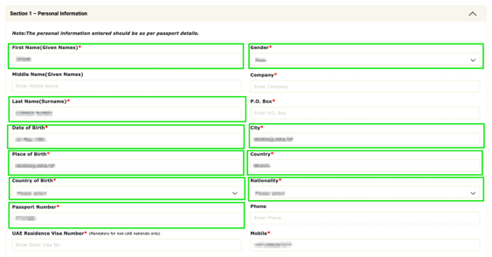
Below fields and documents will be pre-populated using the uploaded documents.
- Once the user submits the application, the QA team reviews all the submitted information and supporting documents. If the application is complete and the information is accurate, the QA team forwards it to the GCAA Back Office for further processing.